
In today's digital world, a reliable Data transfer cable is essential for effective communication between devices. Choosing the right cable can significantly impact your device performance and data transfer speed. Many options exist, but understanding your specific needs is crucial.
Data transfer cables come in various types, including USB, HDMI, and Ethernet. Each type serves a unique purpose. A slow or incompatible cable can lead to frustration. Take a moment to evaluate the devices you intend to connect. Compatibility and speed are key factors to consider. It is not merely about finding a cable; it's about ensuring it fits your unique requirements.
Additionally, brand reputation and customer reviews can guide your decision. However, be wary of trendy cables that may not deliver on their promises. A high price tag does not always mean better quality. Balancing quality, cost, and usability is often a challenge. Reflect on your options carefully, and aim for a cable that aligns with your needs while providing reliable service over time.
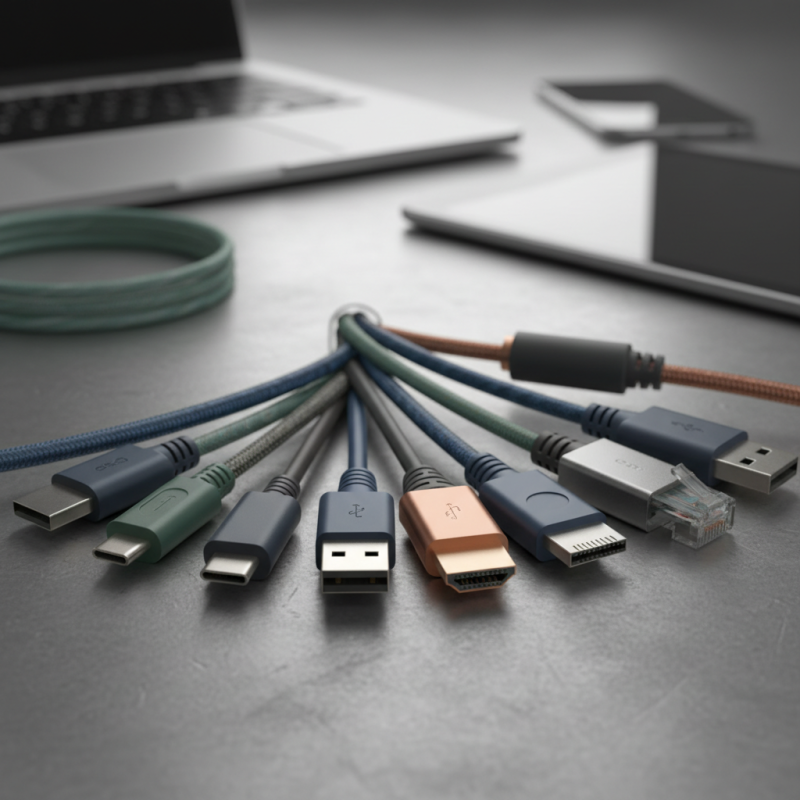
When selecting a data transfer cable, understanding the different types is essential. USB cables are the most common, typically used for connecting devices like smartphones and printers. They come in various versions, including USB 2.0, 3.0, and the newer USB-C, each providing different speeds and power delivery options.
Thunderbolt, on the other hand, is known for its high-speed data transfer capabilities. It combines power, data, and video in a single cable. This makes it ideal for connecting high-performance devices, such as external hard drives and monitors. However, Thunderbolt cables tend to be more expensive and may not be necessary for everyday users.
Then there’s the more specialized cables, like Ethernet and HDMI. These cables serve unique purposes and are key in specific setups, such as networking and home theater systems. While it’s easy to choose a cable based solely on price, reflect on your actual needs. It could lead to overpaying for advanced features you may not need.
When selecting a data transfer cable, speed is crucial. Data transfer speed is often measured in megabits per second (Mbps) or gigabits per second (Gbps). Understanding these units impacts your device’s performance. Mbps represents smaller data speeds, while Gbps indicates faster transfer rates. This distinction can affect how quickly files move between devices.
Evaluate your needs carefully. For simple tasks, like transferring photos, Mbps may suffice. However, for larger files or streaming high-definition videos, Gbps is more suitable. You might find frustration when files take too long to transfer with lower-speed cables. A slow transfer can hinder productivity, especially in a fast-paced environment.
It’s important to consider the cable’s quality, too. Not all cables offer the same performance. A low-cost cable may fall short in delivering the promised speed. Check for user reviews and expert advice. This can lead you to options that stand up to scrutiny. Ultimately, making an informed choice about data transfer speed enhances your overall experience with technology.
When selecting a data transfer cable, compatibility is crucial. Start by checking device requirements. Some devices use USB Type-C, while others might require Micro USB. Identify your device type first. Then, verify the supported data transfer speeds. Not all cables are designed for high-speed transfers. Compatibility means not just connecting devices, but also ensuring efficiency.
Next, consider the operating system. Different systems may have distinct requirements for file transfers. Windows, Mac, and Linux could respond uniquely to data transfer methods. Using the right cable enhances this experience. Misalignment can lead to frustrating errors or slow transfers. It might be tempting to purchase the cheapest option, but lower-quality cables can cause complications.
Lastly, pay attention to sourcing quality information about cables. Not every claim meets reality. Reviewing user experiences can illuminate potential problems. Take personal preferences into account, but remain cautious about differing opinions. Choosing the right data transfer cable should be an informed decision, rooted in compatibility and knowledge.
| Cable Type | Data Transfer Speed | Compatibility | Length Options | Usage Scenario |
|---|---|---|---|---|
| USB 3.0 | Up to 5 Gbps | Windows, macOS, Linux | 1m, 2m, 3m | External Hard Drives, Printers |
| USB-C | Up to 10 Gbps | Latest Windows, macOS | 1m, 1.5m, 2m | Smartphones, Laptops |
| Thunderbolt 3 | Up to 40 Gbps | Windows, macOS | 0.5m, 1m, 2m | Docking Stations, High-speed Drives |
| HDMI | N/A | TVs, Monitors, Projectors | 1m, 2m, 5m | Video Output |
| Ethernet Cable | Up to 1 Gbps | Routers, PCs, Switches | 1m, 3m, 10m | Network Connections |
When selecting a data transfer cable, understanding cable length and performance is crucial. The length of the cable directly affects data transmission speed and signal quality. Shorter cables often reduce the chances of interference and signal loss, ensuring optimal performance. However, many users may require longer cables for practical reasons, like connecting devices across a room. This is where compromise comes into play.
Finding the ideal balance between cable length and performance can be challenging. Longer cables may introduce latency and reduce data transfer speeds, especially if they exceed recommended lengths. It's essential to consider usage scenarios. If you frequently work with large files, a shorter, high-quality cable may be more beneficial. Yet, for convenience, you might choose a longer cable, accepting the risk of a slight performance dip.
It's worth noting that not all applications are equally sensitive to these factors. Casual users may not notice a significant drop in speed, while professionals may require precise quality. Each situation calls for a tailored approach. Reflecting on your personal needs and testing various options can lead to a more informed decision.
When selecting a data transfer cable, build quality is paramount. The materials used directly affect durability and performance. Look for cables made from premium materials like high-grade copper. This ensures optimal data transmission speeds and reliability. The outer casing should be sturdy, protecting the internal components from wear and tear. Pay attention to the connectors as well; they should fit snugly to prevent disconnections.
Tips: Always check for fraying or loose connectors before purchasing. A well-made cable can save you from future problems.
Durability is often reflected in the weight of the cable. Heavier cables are usually better built. However, not all heavy cables are of good quality. Some may use inferior materials to add weight. Look for a balance between heft and construction integrity.
Tips: Read customer reviews to gain insight into real-world durability. Don't just rely on specifications; consider the experiences of others.
This chart illustrates the build quality factors of data transfer cables based on various criteria. Each factor is rated on a scale of 1 to 10, with higher values indicating better quality.
